Hootsuite is a pretty powerful social media management tool. But its $149/user per month starting price ($99 if you pay annually) puts it out of reach for many creators, entrepreneurs, and businesses.
That's at least $1,188 a year for each user — and that's before you even get to the plan most people actually need. And with no free plan, there's no way to get Hootsuite for free beyond the 14-day trial.
Hootsuite has to earn its place in the budget, especially when you're already juggling a stack of tools just to keep your content running. So it's no surprise so many folks end up searching for Hootsuite alternatives.
The good news: you have options. There are plenty of social media management tools out there, and a few Hootsuite competitors do things Hootsuite doesn't, often at a fraction of the price (sometimes free).
I’m a former social media manager and creator, and I’ve used more than my fair share of social media management and analytics platforms.
In this article, we’ll explore several of the best Hootsuite competitors and alternatives, how much they cost, who they’re best suited for, and what their best features look like.
Why people look for Hootsuite alternatives
Not sure if you should make the leap? Here are a few common reasons creators and small teams start exploring other platforms:
- Budget: the monthly fees add up fast, especially as your team grows
- Analytics: wanting something deeper, clearer, or just easier to actually read
- Workflow: simpler scheduling, approvals, or engagement tools that don't require a learning curve
- Interface: a calmer, less cluttered dashboard that keeps the focus on creating
- Platform coverage: needing support for networks like Substack or Mastodon that your current tool doesn't cover
- AI tools: looking for API and MCP access to create custom tools and workflows, plus built-in AI to help generate ideas, draft posts, or repurpose content across channels
If any of those hit close to home, the alternatives below are worth a look.
Key takeaways
- Best overall value: Buffer offers a robust free plan and affordable per-channel pricing (starting at $6 per month), making it the top choice for creators and small teams.
- Best if you only need it for Facebook and Instagram: Meta Business Suite is entirely free, with no paid tier.
- Best for agencies and teams: Sendible's tasks system lets team members and clients assign to-dos tied to the content calendar, and its reports are ready to present.
- Best for competitor and timing insights: Metricool tracks competitor accounts, and its heat-map planner shows when your audience is most likely to engage.
- Best for visual-first brands running influencer campaigns: Later combines a grid preview of your feed with tools for finding creators and tracking influencer campaigns.
- Best for content beyond social: CoSchedule schedules your social posts alongside your blog, newsletters, and podcasts in one calendar.
- Best for larger teams: Sprout Social brings CRM features, social listening, and stakeholder-friendly reports into one platform.
- Best for tying social to website traffic: Agorapulse connects with Google Analytics to measure how your social posts affect website traffic.
Hootsuite alternatives and competitors at a glance
Here's how the eight alternatives compare on free options and starting prices.
| Tool | Best for | Free option | Paid plans from |
|---|---|---|---|
| Buffer | Creators, small businesses, and growing agencies who want powerful features without the price tag | Free plan (3 channels, 10 scheduled posts per channel, refillable) | $6/channel/month |
| Meta Business Suite | Businesses and creators who work entirely within Facebook and Instagram | Entirely free (no paid tier) | None |
| Sendible | Agencies and teams that need task-based collaboration | 14-day free trial | $35/month |
| Metricool | Brands that want competitor monitoring and best-time-to-post insights | Free plan (up to 20 posts/month) | $25/month |
| Later | Visual-first creators and brands managing influencer campaigns | Free plan | $25/month |
| CoSchedule | Teams managing blogs, newsletters, and social media in one calendar | Free plan (1 social profile) | $39/month |
| Sprout Social | Teams with a large volume of messages, comments, and mentions to manage | 30-day free trial | $99/user/month |
| Agorapulse | Marketing teams that want in-depth analytics and customizable reports | 30-day free trial | $99/user/month |
Jump to a section:
1. Buffer
Best for creators, small businesses, and growing agencies who want powerful features without the price tag
| Pricing information | Details |
|---|---|
| Free plan | ✅ |
| Paid plans | Starting at $6/channel per month (billed monthly) |
| Annual billing | 20% off on all paid plans |
| Free trial | ✅ 14 days on paid plans |
At Buffer, we’re really into transparency. We're also pretty open about how we operate. You can find everything from product metrics to salaries on our public transparency hub, if you're curious.
So, full transparency: I work at Buffer, so I'm not exactly neutral here. But I've worked as a social media manager and creator for more than a decade, long before starting at Buffer.
But I keep coming back to Buffer because it covers the features most creators and small teams actually need — without the price tag that makes you wince every month.
Buffer is a social media management tool with a free plan that covers up to three channels. Paid plans are priced per channel rather than per user, so you're not paying extra as your team grows.
The Free plan includes some super useful features:
- Schedule up to 30 posts across three channels: Buffer's Free plan lets you publish and schedule up to 30 posts (10 per channel). That’s a refillable queue (not a hard limit), meaning a slot opens up the moment a scheduled post gets published.
- Connect to a wide range of social media platforms: You'll also be able to choose from a broad range of different channels, including Twitter/X, LinkedIn, Facebook, Instagram, TikTok, Substack, Google Business, Pinterest, Mastodon, YouTube, Threads, and Bluesky. To crosspost and manage multiple channels from a single composer, simply draft a post once and customize it for each platform before publishing.
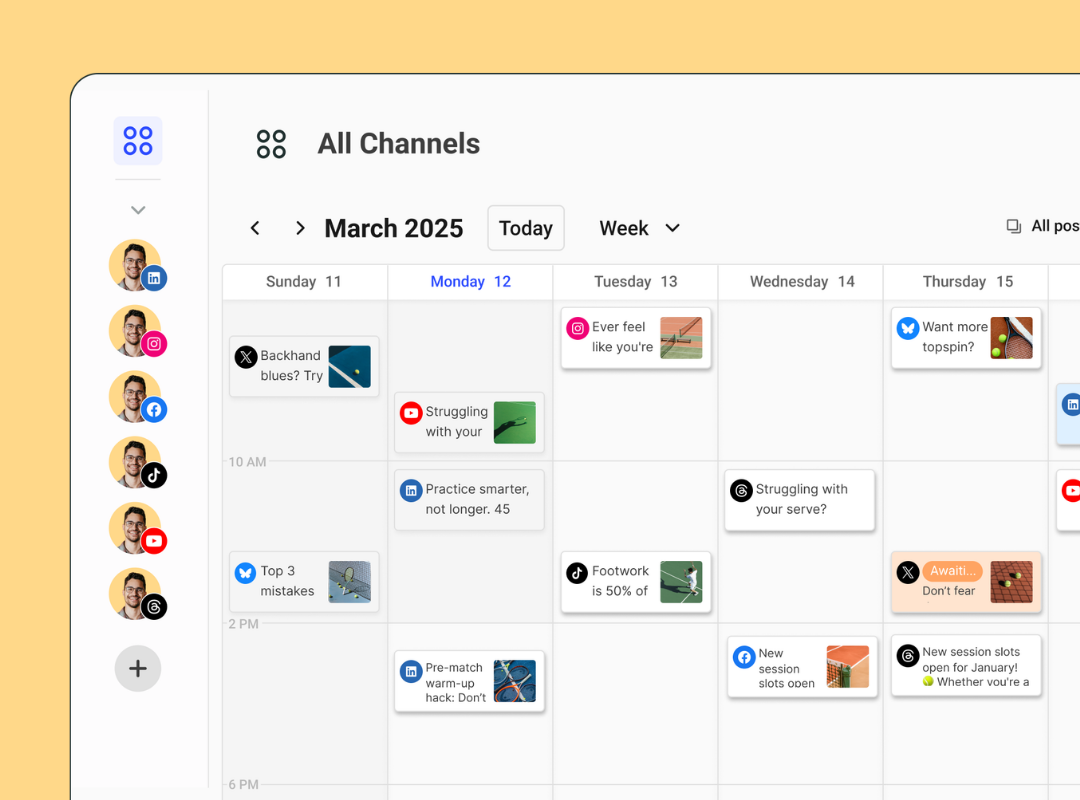
- Drag-and-drop social media calendar: The intuitive calendar shows all scheduled posts and drafts at a glance, so you can monitor all your social accounts from a single dashboard, in real time. To reschedule an upcoming post, simply drag it to the date you want it to go live and drop it onto the calendar.
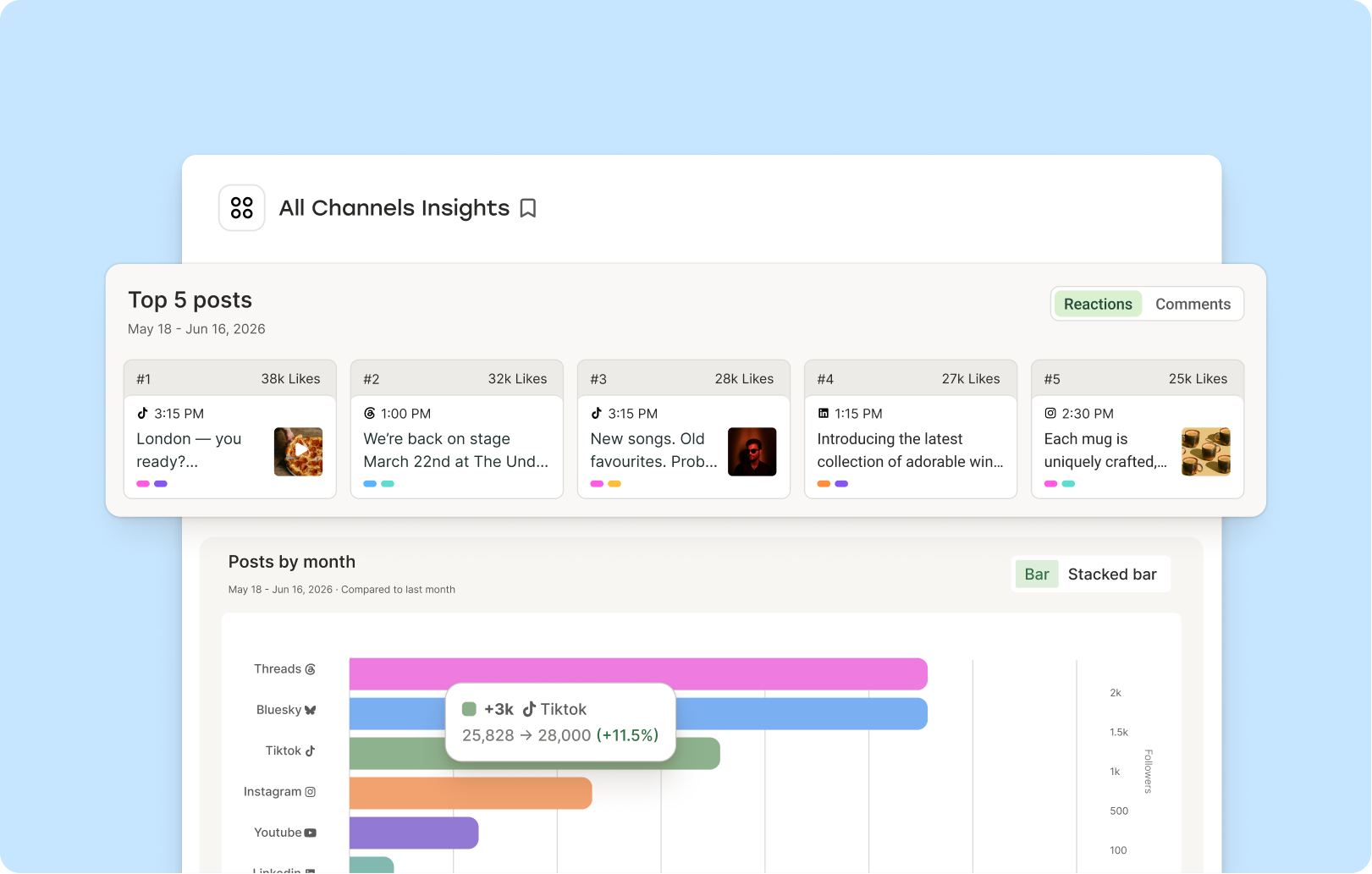
- Get powerful, easy-to-understand analytics: Buffer's analytics live in Insights, which helps you make sense of your metrics across channels rather than leaving you to interpret raw charts. Get AI-powered takeaways to help you plan your next move and export your data as a report for your manager or a markdown file for your AI tool of choice.
- Save ideas in the Create Space: A free content library where you can save and plan out your ideas, which is something I find incredibly helpful in my content creation workflow. You can store up to 100 ideas on the Free plan.
- Build custom tools and workflows with the API and MCP: Connect your Buffer account to Claude, ChatGPT, Raycast, Cursor, or other AI tools you already work in to make content planning easier. You can even build your own custom apps to manage your social media content.
- Reply to comments: Say goodbye to posting and ghosting, and boost your engagement by 5% to 42%. Buffer's Community tab helps you manage all your social media comments, mentions, and replies in one place. You also get 5 AI reply suggestions per week.
- Use Buffer's AI Assistant: Draft posts for your schedule, repurpose content you've already created, and keep the ideas coming when you're running low so you can spend more time on the stuff that actually matters. Buffer's AI Assistant is available on the free plan with unlimited usage.
If you're looking to manage more than three social media accounts or want advanced features, you might want to check out Buffer's other plans:
- Essentials: Starting at $6/channel per month
- Team: Starting at $12/channel per month
Advanced features include unlimited scheduled posts and ideas, analytics exports to create reports, unlimited AI replies in the inbox, custom video thumbnails, LinkedIn first comment scheduling
On the Team plan, you also get unlimited users, permission levels, approval workflows, notes and collaboration tools including comments and notes.
2. Meta Business Suite
Best for businesses and creators who work entirely within Facebook and Instagram
| Pricing information | Details |
|---|---|
| Free plan | ✅ (entirely free — no paid tier exists) |
| Paid plans | None |
| Free trial | N/A — nothing to buy |
Meta Business Suite is Meta's free tool for managing Facebook and Instagram in one place. And yes, it really is free. You’ll only spend money if you boost a post, but that’s your ad budget at work, not a fee for using the platform.
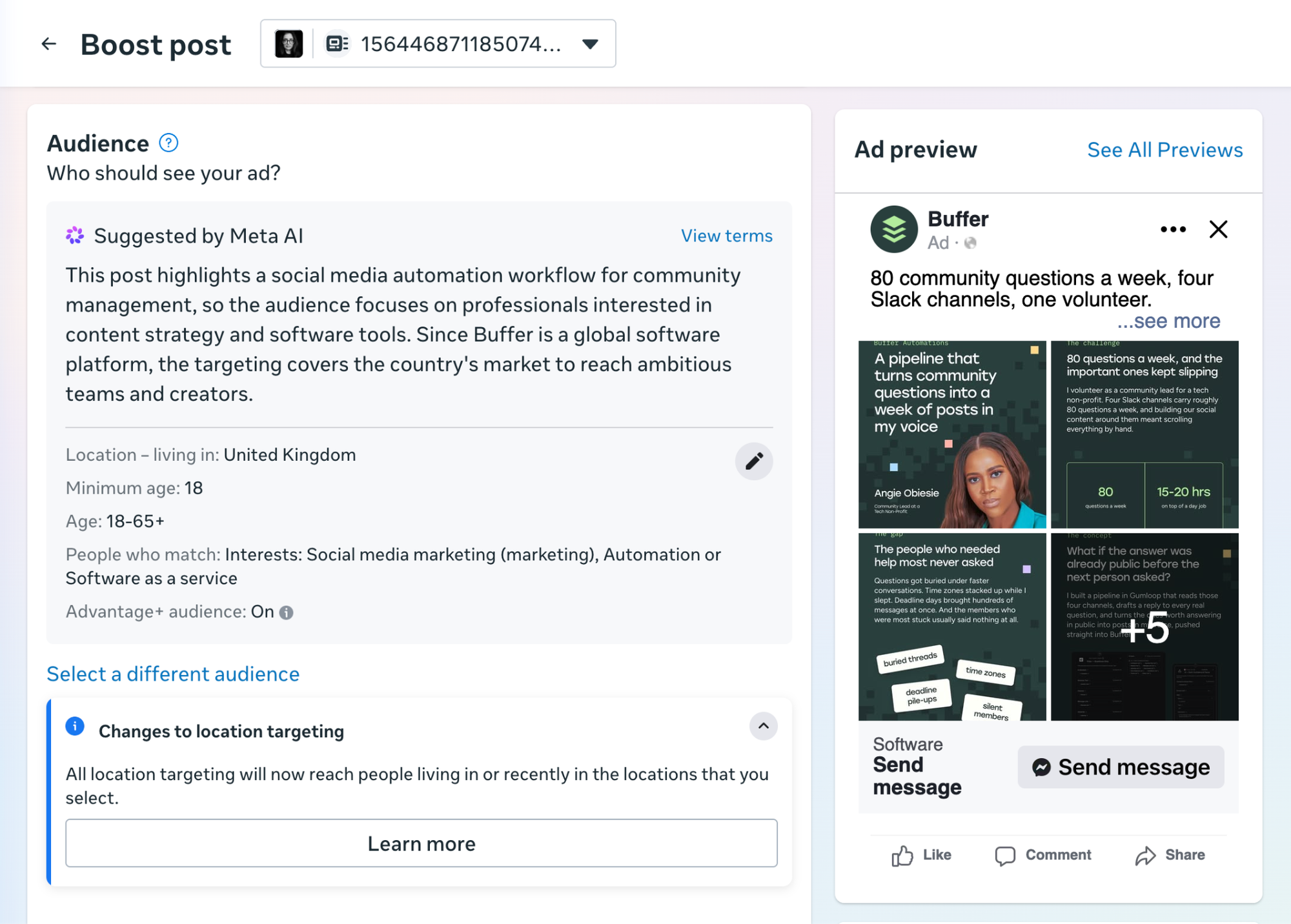
You can boost a single post right from the composer, and the linked Ads Manager takes over when you want to run full campaigns. Analytics show how your organic posts perform next to your ads and how many of the people you reached already follow you.
You can also manage your organic Facebook and Instagram content from Meta Business Suite. It has some neat features like letting you add stories to highlights from the dashboard, and sending automated replies to first-time DMs or on a schedule while you're away.
If Facebook and Instagram are your whole social presence, it covers a lot of what you'd otherwise pay Hootsuite for. It has a few features for Threads and WhatsApp Business too, but the Facebook and Instagram feature set is much more developed.
The trade-off: there’s no X, LinkedIn, TikTok, or YouTube, so it won't cover you if you use Hootsuite outside the Meta platforms.
3. Sendible
Best for agencies and teams that need task-based collaboration
| Pricing information | Details |
|---|---|
| Free plan | ❌ |
| Paid plans | Starting at $35 per month (billed monthly) for 1 workspace that includes up to 6 social channels |
| Annual billing | 15% off on all plans |
| Free trial | ✅ 14 days |
Sendible is a no-frills, no-fuss social media management platform at an affordable price. It connects with Facebook, Instagram, TikTok, LinkedIn, X/Twitter, Threads, YouTube, Bluesky, and Google Business Profiles, and the streamlined dashboard lets you view your scheduled, draft, and undelivered posts at a glance.
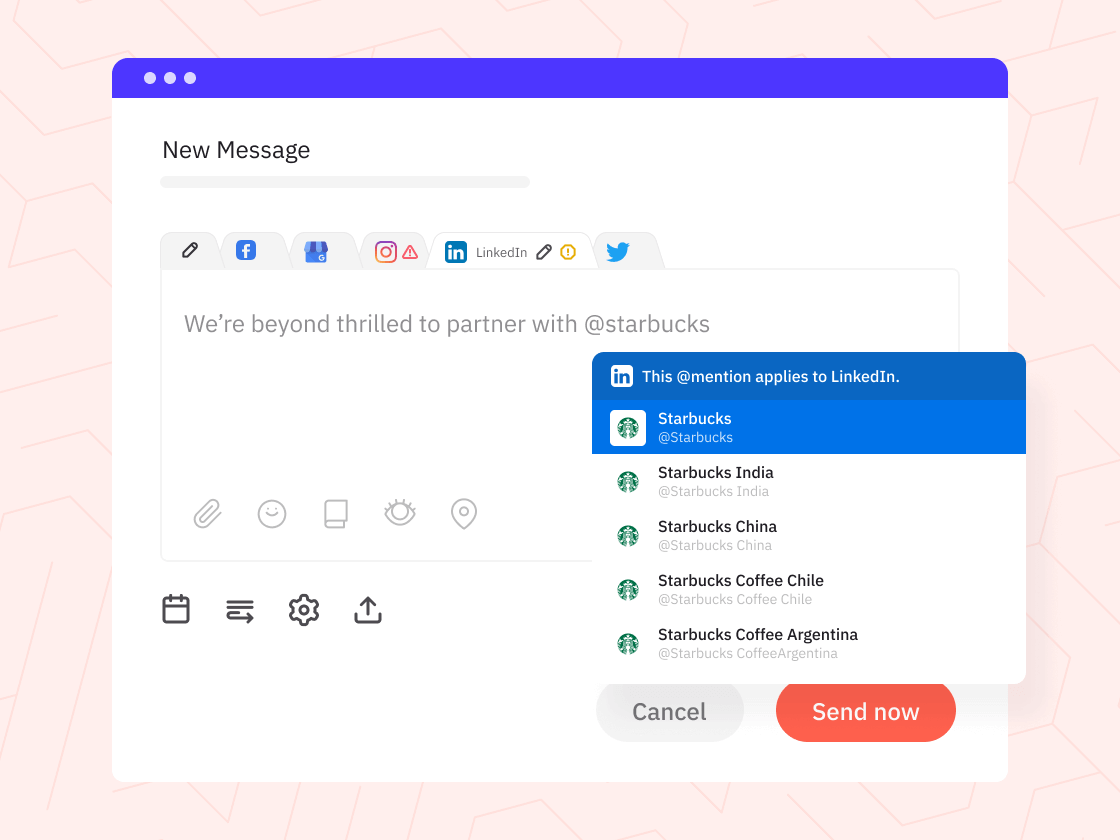
The tool also has a handy tasks system where team members or clients can assign to-dos related to the content calendar, which makes it a good fit for agencies and teams that need to stay organized. It also has a social inbox, so you can manage comments and messages without leaving the platform.
Along with social media management tools, Sendible users can generate instant social media analytics reports for all their connected channels. The reports are presentation-ready, which is helpful if you're sharing updates with clients or stakeholders.
4. Metricool
Best for brands that want competitor monitoring and best-time-to-post insights
| Pricing information | Details |
|---|---|
| Free plan | ✅ |
| Paid plans | Starting at $25 per month (billed monthly) for up to 5 brands |
| Annual billing | 20% off on all paid plans |
| Free trial | ✅ 14 days |
Metricool is a user-friendly social media management platform with a free plan. You can schedule up to 20 posts per month at no cost, which is plenty if you're just getting started. The platform supports scheduling and automation for multiple social media platforms and also allows for bulk scheduling across social channels.
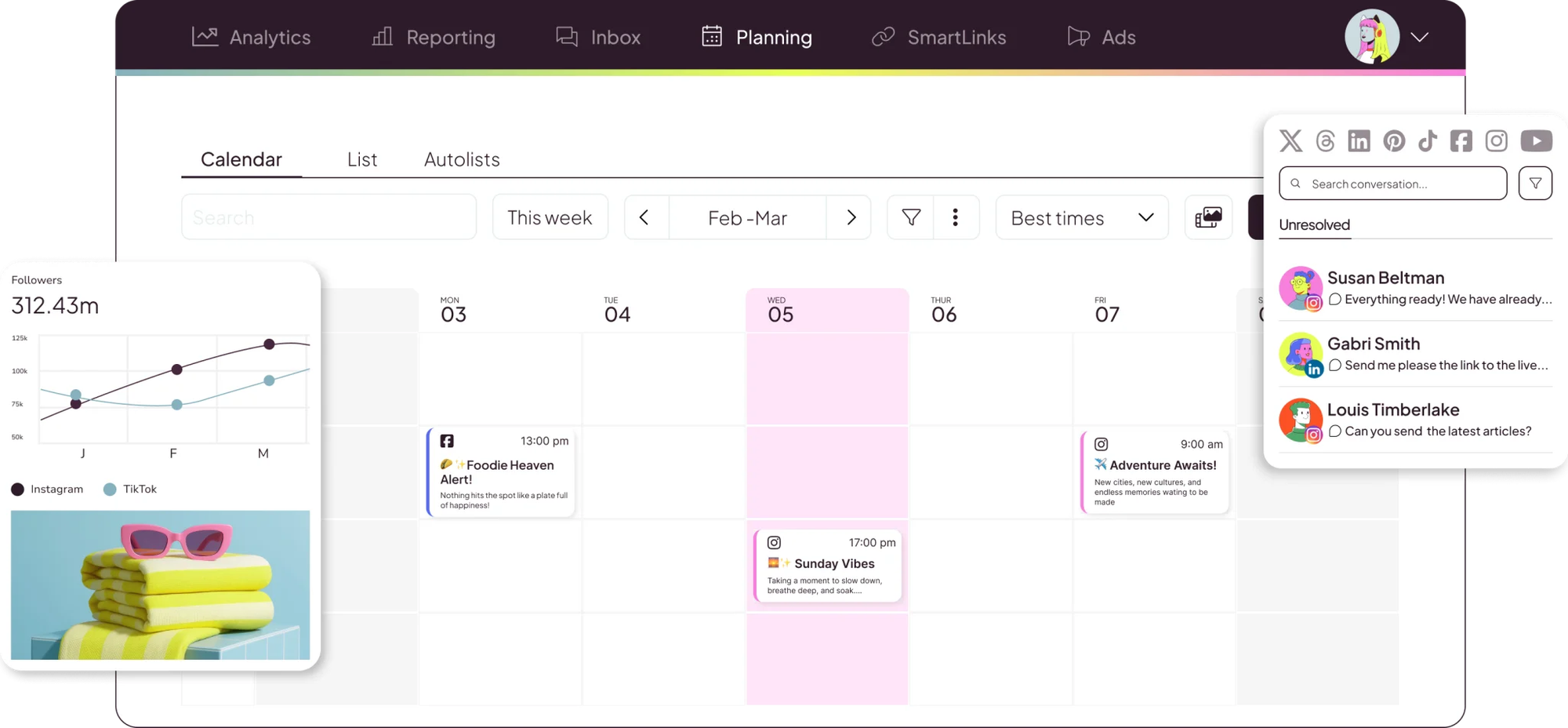
Metricool offers competitor tracking for many of its supported platforms: Instagram, Facebook, Threads, Bluesky, and Twitch on all plans, plus YouTube and X/Twitter on paid. It’s a handy feature to have if you want to keep a close eye on the competition.
Competitor tracking pulls in followers, likes, replies, reposts, and views for every account you add, and all of it rolls into your monthly reports. One tip if you're starting on the free plan: you can track five competitors, but you can't swap them out once they're added, so choose carefully.
One of its key scheduling features is its heat-map-style planner, which shows the best times to post on some of your channels. When a slot looks good, you can double-click to start a new post or drag a scheduled post straight onto it to change its date or time.
The tool also has slick approval workflows for social media posts and a central social inbox for comments from the majority of its connected platforms.
It’s worth knowing before you commit that the free plan doesn't include LinkedIn or X/Twitter at all, and X is a paid add-on even on Metricool's paid plans. Each X account adds $10 to your monthly bill.
5. Later
Best for visual-first brands and creators managing influencer campaigns
| Pricing information | Details |
|---|---|
| Free plan | ✅ |
| Paid plans | Starting at $25 per month (billed monthly) for 1 social set that includes up to 8 social channels |
| Annual billing | 25% off on all paid plans |
| Free trial | ✅ 14 days |
Later started as an Instagram-focused tool, and visual planning is still where it shines. If maintaining a polished brand aesthetic is a priority, its drag-and-drop content calendar and grid preview make it easy to see exactly how your content will appear on your profile before it goes live.
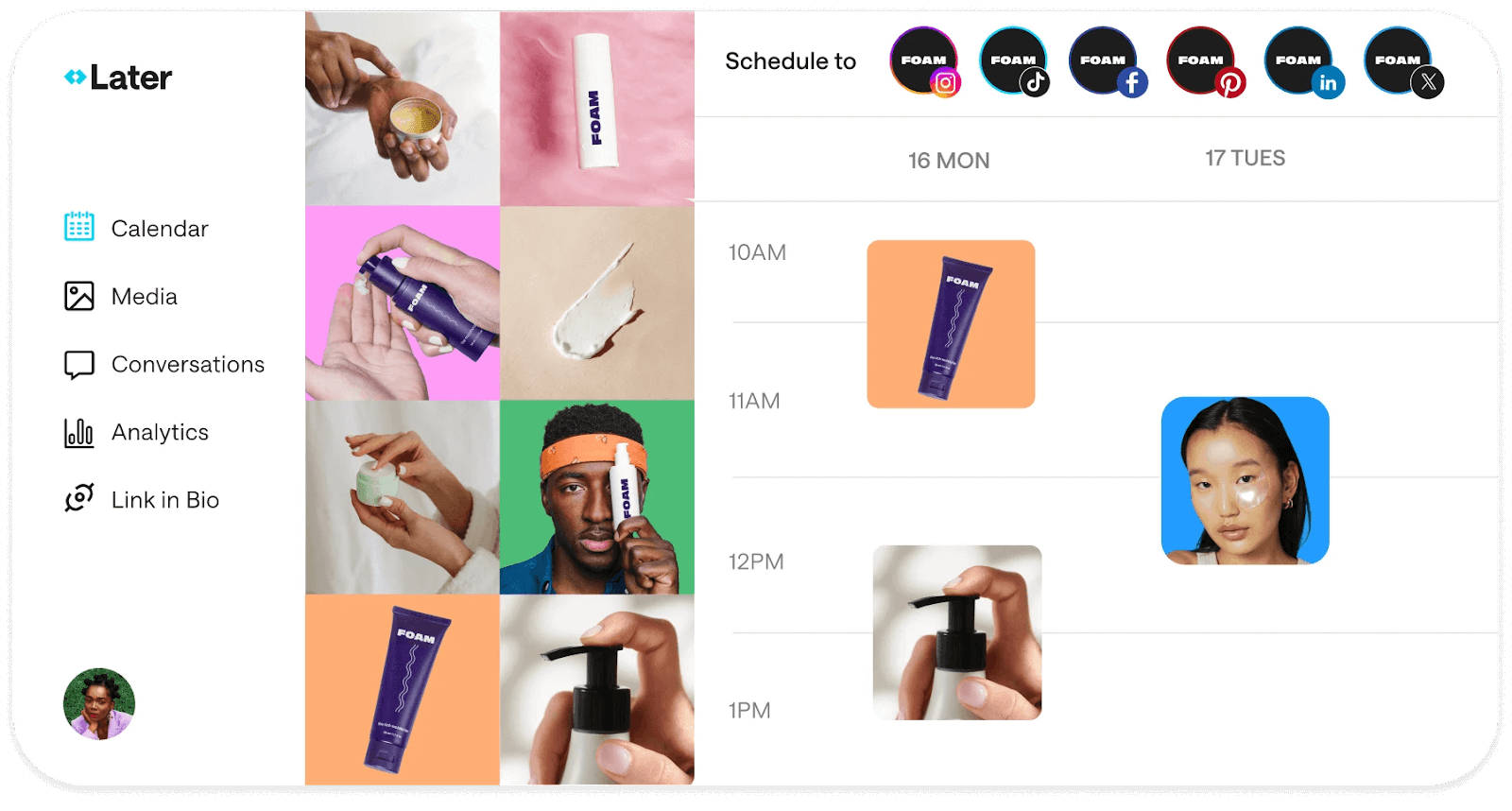
Drag an image from your media library onto the calendar, write the caption right there, and check how it'll sit in your grid (both Instagram and Pinterest) before you hit schedule. If your feed has a look you've worked hard on, that preview takes a lot of the guesswork out of planning.
Since its launch, Later has expanded into broader social media management and has a whole separate product for influencer marketing. Brands can find creators, manage those relationships, measure results, and even send products to influencers through its Shopify integration (pricing isn't listed upfront, though).
And if you're on the other side of the deal, the Creator hub comes with your plan, which is handy for putting together a media kit and applying to brand campaigns without signing up for yet another tool.
Later doesn't support quite a few platforms that Hootsuite does, including X/Twitter, Bluesky, and Google Business Profile. On the plus side, it’s one of the few tools on this list that supports Snapchat.
6. CoSchedule
Best for teams managing blogs, newsletters, and social media in one calendar
| Pricing information | Details |
|---|---|
| Free plan | ✅ |
| Paid plans | Starting at $39 per month (billed monthly) for up to 3 social channels |
| Annual billing | $10 off per month on all paid plans |
| Free trial | ✅ 14 days |
CoSchedule is a good fit if you're managing content beyond social (think a blog, newsletters, and the like) and want to see it all in one place. If you're running social in Hootsuite and tracking everything else in a separate calendar or spreadsheet, that's one less thing to keep in sync.
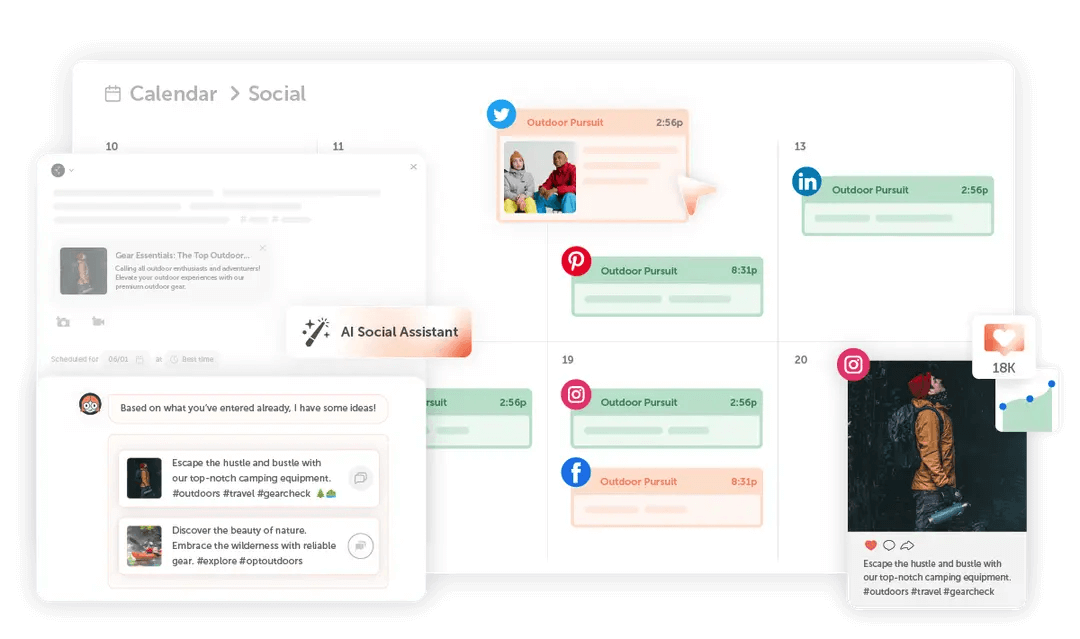
When we tested it for our Sprout Social alternatives roundup, it felt more like a way to project-manage your content than just schedule it. If you're publishing a blog post, for example, the newsletter and social posts that go with it can sit in the same campaign. And if you're a full-time creator earning from a newsletter, podcast, or blog alongside your social channels, it could work for you for the same reason.
It publishes to most major social media platforms and connects with WordPress and email tools like Mailchimp and ActiveCampaign. Mia, its AI chatbot, can draft anything from a blog post to a press release.
If you rely on Hootsuite for in-depth analytics or social listening, those aren’t features CoSchedule covers. You'd need a separate tool for reporting and listening alongside managing your content calendar.
7. Sprout Social
Best for enterprise teams with a large volume of messages, comments, and mentions to manage
| Pricing information | Details |
|---|---|
| Free plan | ❌ |
| Paid plans | Starting at $99/seat per month (billed monthly) for up to 5 social profiles |
| Annual billing | Between 20 and 25% off, depending on your plan |
| Free trial | ✅ 30 days |
Sprout Social is often a close match for teams moving off Hootsuite, though costs climb quickly as you move up its plans. Its Smart Inbox (available on the $249/user plan) is one such feature you’ll need to budget for. But if a big part of your team’s work is responding to comments, messages, and mentions, it’s worth serious consideration.
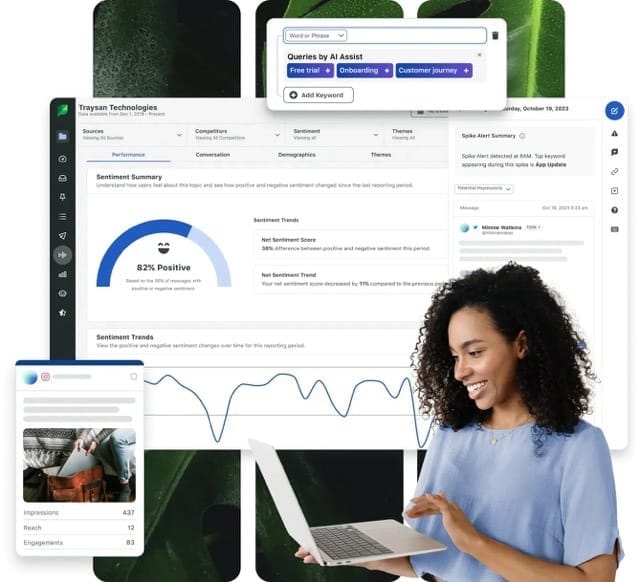
What makes it hold up at volume is what you can do once a message arrives: assign a conversation to a teammate, tag it by topic or sentiment, pass it on to customer support through helpdesk integrations with Zendesk, Salesforce, and HubSpot.
It also picks up conversations you'd otherwise miss. Keyword monitoring catches brand mentions when nobody tags you, and you can manage reviews from places like TripAdvisor, Glassdoor, and the app stores without leaving the platform. If you want to go beyond your own brand mentions into full social listening, that's available too as a paid add-on.
You get social media scheduling, analytics, and great team collaboration features in your plan, with employee advocacy and influencer marketing features available as paid add-ons.
8. Agorapulse
Best for marketing teams that want in-depth analytics and customizable reports
| Pricing information | Details |
|---|---|
| Free plan | ❌ |
| Paid plans | Starting at $99/user per month (billed monthly) for up to 10 social channels |
| Annual billing | 20% off on all paid plans |
| Free trial | ✅ 30 days |
Agorapulse suits small marketing teams that are ready to invest in a more feature-rich tool, and its reporting is a big part of why. It covers the everyday metrics you'd expect, like audience growth, engagement, and reach, and then lets you go a lot further with custom reports.
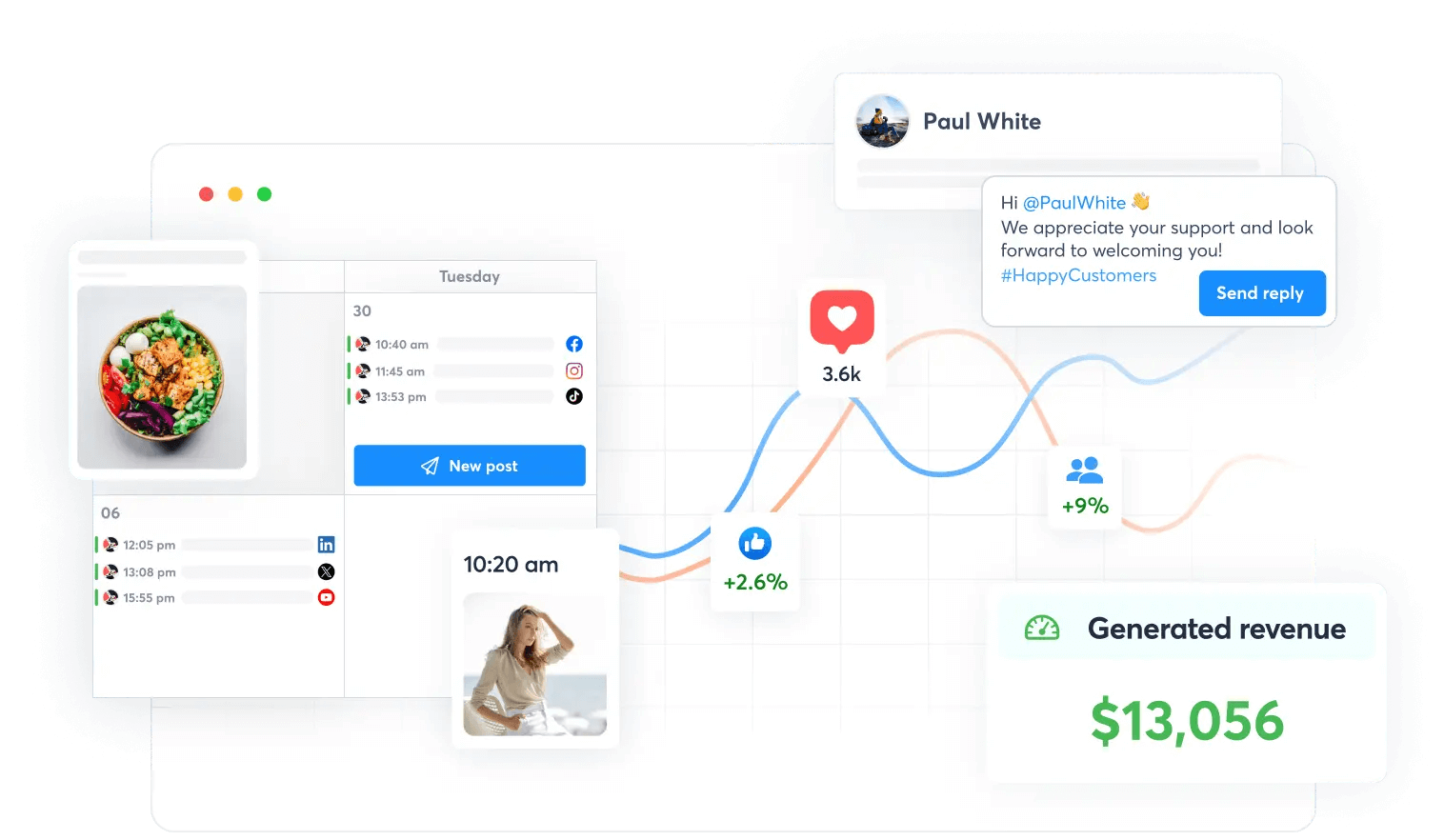
Start a report from scratch or from a template, then drag in whichever metrics that report needs. A report for your leadership team and one for a client can each show only what that audience cares about.
You can also connect Google Analytics to see the clicks and traffic your posts send to your website. That goes further on higher plans: you can tie conversions and revenue back to specific posts, and report on your Meta and LinkedIn ad campaigns in the same place.
Agorapulse also has a unified inbox for comments, mentions, DMs, and reviews, with comments on your paid ads included on higher plans. If X/Twitter is one of your channels, factor it into the cost: it isn't included in any plan, so you'll pay for it as an add-on.
How to choose the right Hootsuite alternative
There's no single "best" Hootsuite alternative, and the right pick comes down to what you need.
Here's a simple three-step way to figure it out:
- Jot down two or three features you love (or need) from your current tool.
- Shortlist platforms that tick those boxes and fit your budget.
- Test each one for at least a week on a free plan or trial, paying close attention to workflow, analytics, and ease of use.
Within a couple of weeks, you'll know which platform feels like home.
- On a tight budget? Buffer's free plan gives you three channels, an AI assistant, and a content calendar, with no credit card needed.
- Only posting to Facebook and Instagram? Meta Business Suite covers both for free.
- Managing clients or a team? Sendible's task system makes collaboration a lot easier.
- Dealing with tons of comments and DMs? Sprout Social’s Smart Inbox keeps your team on top of engagement and customer support.
- Need more than social? CoSchedule lets you manage blog posts, newsletters, and social media in a single calendar.
- Want deep analytics and reporting? Buffer's Insights, Metricool's competitor tracking, and Agorapulse’s custom reports give you clear, usable data without the enterprise price tag.
Whether you're on a social media marketing team, a solo creator, or working with clients in an agency, social media management tools are a pretty personal choice. If Buffer ends up being the right fit, we'd love to have you as part of our community. If not, that's OK too; we hope you find the tool that works best for you.
FAQ about Hootsuite alternatives
What is the best alternative to Hootsuite?
The best Hootsuite alternative depends on your goals, budget, and workflow. Popular options include tools that offer social media scheduling, analytics, and engagement features at a lower cost or with simpler interfaces. Creators and small teams looking for a free or low-cost plan have options like Buffer (free for up to three channels), Metricool (free for up to 20 posts per month), or Meta Business Suite (completely free, only for Instagram and Facebook). Larger teams that need advanced reports, CRM, and social listening tend to look at Sprout Social or Agorapulse.
Is there a free alternative to Hootsuite?
Yes. Several Hootsuite alternatives offer free plans or free trials. These plans often include limited scheduling, basic analytics, or caps on the number of posts per month, which can work well for creators or small businesses getting started.
Buffer has a free plan that lets you schedule up to 30 posts at a time across three social channels, with no time limit. It’s a usable free plan, not just a trial. Meta Business Suite is entirely free if you only post to Facebook and Instagram. Metricool's free plan covers up to 20 posts per month, Later’s free plan supports 12 posts per month for each connected channel, and CoSchedule's free plan covers one social media profile. Sendible, Sprout Social, and Agorapulse offer free trials so you can test them before committing.
Does Hootsuite have a free plan?
No, Hootsuite doesn't have a free plan. Hootsuite ended its free plan on March 31, 2023, as part of a shift toward paid subscriptions. New users can still access a 14-day free trial, but continued use requires a paid plan.
How much does Hootsuite cost in 2026?
Hootsuite's paid plans start at $149 per user per month, or $99 per user per month billed annually, after a 14-day free trial. Pricing is per user, so the cost goes up with every team member you add.
Are Hootsuite alternatives good for small businesses?
Yes, many Hootsuite alternatives are a good fit for small businesses and solo creators. They typically focus on ease of use, clearer analytics, and more affordable pricing, making them easier to adopt without high upfront costs.
Hootsuite alternatives like Buffer, Metricool, Later, and CoSchedule offer free plans, and paid plans often start at significantly lower prices than Hootsuite’s $149/user monthly starting price.
What's the best Hootsuite alternative for agencies?
For agencies, Buffer, Sendible, and Agorapulse are the closest fits on this list. Buffer’s granular permissions and approval workflows let agencies give team members and clients the exact access they need. With pricing per channel instead of per user, agencies can add as many team members and clients as they need to their account without worrying about the cost.
Sendible's tasks system lets team members and clients assign to-dos tied to the content calendar. Agorapulse’s reporting and Google Analytics integration lets agencies create reports tailored to each client’s requirements.
Can I switch from Hootsuite without losing my content?
Your published content and social accounts are yours, so you won't lose them. What you will need to rebuild are any scheduled or queued posts, since those live inside Hootsuite's system and can't be exported. The good news: reconnecting your social accounts to a new tool usually takes just a few minutes, and you can start scheduling again right away.
How do I choose the right Hootsuite alternative?
Start by identifying the features you rely on most, such as scheduling, analytics, engagement tools, or team collaboration. Then narrow your list to platforms that offer those features within your budget. Finally, take your top one or two picks for a spin using a free plan or trial for at least a week. Pay close attention to how the tool fits into your daily workflow — the best tool is the one you'll actually enjoy using.
What is the cheapest social media management tool?
Budget options exist at every level. Buffer's free plan costs nothing and covers three social channels with up to 30 scheduled posts. Paid plans start at $6 per channel per month, one of the lowest entry points you'll find. Meta Business Suite is completely free for teams and creators focused on Facebook and Instagram. Metricool also has a free plan (capped at 20 posts per month), with paid plans from $25 per month. If you're watching your spend, starting on a free plan and upgrading only when you need to is a reasonable approach.
Is Buffer cheaper than Hootsuite?
Yes. Buffer offers a free plan and paid plans starting at $6/channel per month, while Hootsuite's paid plans start at $149/user per month.
Which is better, Hootsuite or Buffer?
Buffer and Hootsuite suit different needs. Buffer has a free plan and prices per channel, which works well for creators, small teams, and growing agencies. Hootsuite has no free plan, prices per user, and leans toward larger teams that need features like competitor tracking and social listening. For a feature-by-feature breakdown, see our Buffer vs. Hootsuite comparison.
More social media marketing tool resources
- The 11 Best Social Media Management Tools — Tried + Tested
- 9 Tools for Social Media Automation (+ Automation Pro Tips)
- The Best Social Media APIs for Developers + Vibe Coders
- The Top 10 AI Writing Tools I Recommend as a Professional Writer
- The 21 Best Social Media Marketing Tools to Try
- The 9 Best AI Image Generators of 2026 (+ Examples)
- The 11 Best Social Media Analytics + Reporting Tools
from Buffer Resources https://ift.tt/42Zgkr5
Hootsuite is a pretty powerful social media management tool. But its $149/user per month starting price ($99 if you pay annually) puts it out of reach for many creators, entrepreneurs, and businesses.
That's at least $1,188 a year for each user — and that's before you even get to the plan most people actually need. And with no free plan, there's no way to get Hootsuite for free beyond the 14-day trial.
Hootsuite has to earn its place in the budget, especially when you're already juggling a stack of tools just to keep your content running. So it's no surprise so many folks end up searching for Hootsuite alternatives.
The good news: you have options. There are plenty of social media management tools out there, and a few Hootsuite competitors do things Hootsuite doesn't, often at a fraction of the price (sometimes free).
I’m a former social media manager and creator, and I’ve used more than my fair share of social media management and analytics platforms.
In this article, we’ll explore several of the best Hootsuite competitors and alternatives, how much they cost, who they’re best suited for, and what their best features look like.
Why people look for Hootsuite alternatives
Not sure if you should make the leap? Here are a few common reasons creators and small teams start exploring other platforms:
- Budget: the monthly fees add up fast, especially as your team grows
- Analytics: wanting something deeper, clearer, or just easier to actually read
- Workflow: simpler scheduling, approvals, or engagement tools that don't require a learning curve
- Interface: a calmer, less cluttered dashboard that keeps the focus on creating
- Platform coverage: needing support for networks like Substack or Mastodon that your current tool doesn't cover
- AI tools: looking for API and MCP access to create custom tools and workflows, plus built-in AI to help generate ideas, draft posts, or repurpose content across channels
If any of those hit close to home, the alternatives below are worth a look.
Key takeaways
- Best overall value: Buffer offers a robust free plan and affordable per-channel pricing (starting at $6 per month), making it the top choice for creators and small teams.
- Best if you only need it for Facebook and Instagram: Meta Business Suite is entirely free, with no paid tier.
- Best for agencies and teams: Sendible's tasks system lets team members and clients assign to-dos tied to the content calendar, and its reports are ready to present.
- Best for competitor and timing insights: Metricool tracks competitor accounts, and its heat-map planner shows when your audience is most likely to engage.
- Best for visual-first brands running influencer campaigns: Later combines a grid preview of your feed with tools for finding creators and tracking influencer campaigns.
- Best for content beyond social: CoSchedule schedules your social posts alongside your blog, newsletters, and podcasts in one calendar.
- Best for larger teams: Sprout Social brings CRM features, social listening, and stakeholder-friendly reports into one platform.
- Best for tying social to website traffic: Agorapulse connects with Google Analytics to measure how your social posts affect website traffic.
Hootsuite alternatives and competitors at a glance
Here's how the eight alternatives compare on free options and starting prices.
| Tool | Best for | Free option | Paid plans from |
|---|---|---|---|
| Buffer | Creators, small businesses, and growing agencies who want powerful features without the price tag | Free plan (3 channels, 10 scheduled posts per channel, refillable) | $6/channel/month |
| Meta Business Suite | Businesses and creators who work entirely within Facebook and Instagram | Entirely free (no paid tier) | None |
| Sendible | Agencies and teams that need task-based collaboration | 14-day free trial | $35/month |
| Metricool | Brands that want competitor monitoring and best-time-to-post insights | Free plan (up to 20 posts/month) | $25/month |
| Later | Visual-first creators and brands managing influencer campaigns | Free plan | $25/month |
| CoSchedule | Teams managing blogs, newsletters, and social media in one calendar | Free plan (1 social profile) | $39/month |
| Sprout Social | Teams with a large volume of messages, comments, and mentions to manage | 30-day free trial | $99/user/month |
| Agorapulse | Marketing teams that want in-depth analytics and customizable reports | 30-day free trial | $99/user/month |
Jump to a section:
1. Buffer
Best for creators, small businesses, and growing agencies who want powerful features without the price tag
| Pricing information | Details |
|---|---|
| Free plan | ✅ |
| Paid plans | Starting at $6/channel per month (billed monthly) |
| Annual billing | 20% off on all paid plans |
| Free trial | ✅ 14 days on paid plans |
At Buffer, we’re really into transparency. We're also pretty open about how we operate. You can find everything from product metrics to salaries on our public transparency hub, if you're curious.
So, full transparency: I work at Buffer, so I'm not exactly neutral here. But I've worked as a social media manager and creator for more than a decade, long before starting at Buffer.
But I keep coming back to Buffer because it covers the features most creators and small teams actually need — without the price tag that makes you wince every month.
Buffer is a social media management tool with a free plan that covers up to three channels. Paid plans are priced per channel rather than per user, so you're not paying extra as your team grows.
The Free plan includes some super useful features:
- Schedule up to 30 posts across three channels: Buffer's Free plan lets you publish and schedule up to 30 posts (10 per channel). That’s a refillable queue (not a hard limit), meaning a slot opens up the moment a scheduled post gets published.
- Connect to a wide range of social media platforms: You'll also be able to choose from a broad range of different channels, including Twitter/X, LinkedIn, Facebook, Instagram, TikTok, Substack, Google Business, Pinterest, Mastodon, YouTube, Threads, and Bluesky. To crosspost and manage multiple channels from a single composer, simply draft a post once and customize it for each platform before publishing.
- Drag-and-drop social media calendar: The intuitive calendar shows all scheduled posts and drafts at a glance, so you can monitor all your social accounts from a single dashboard, in real time. To reschedule an upcoming post, simply drag it to the date you want it to go live and drop it onto the calendar.
- Get powerful, easy-to-understand analytics: Buffer's analytics live in Insights, which helps you make sense of your metrics across channels rather than leaving you to interpret raw charts. Get AI-powered takeaways to help you plan your next move and export your data as a report for your manager or a markdown file for your AI tool of choice.
- Save ideas in the Create Space: A free content library where you can save and plan out your ideas, which is something I find incredibly helpful in my content creation workflow. You can store up to 100 ideas on the Free plan.
- Build custom tools and workflows with the API and MCP: Connect your Buffer account to Claude, ChatGPT, Raycast, Cursor, or other AI tools you already work in to make content planning easier. You can even build your own custom apps to manage your social media content.
- Reply to comments: Say goodbye to posting and ghosting, and boost your engagement by 5% to 42%. Buffer's Community tab helps you manage all your social media comments, mentions, and replies in one place. You also get 5 AI reply suggestions per week.
- Use Buffer's AI Assistant: Draft posts for your schedule, repurpose content you've already created, and keep the ideas coming when you're running low so you can spend more time on the stuff that actually matters. Buffer's AI Assistant is available on the free plan with unlimited usage.
If you're looking to manage more than three social media accounts or want advanced features, you might want to check out Buffer's other plans:
- Essentials: Starting at $6/channel per month
- Team: Starting at $12/channel per month
Advanced features include unlimited scheduled posts and ideas, analytics exports to create reports, unlimited AI replies in the inbox, custom video thumbnails, LinkedIn first comment scheduling
On the Team plan, you also get unlimited users, permission levels, approval workflows, notes and collaboration tools including comments and notes.
2. Meta Business Suite
Best for businesses and creators who work entirely within Facebook and Instagram
| Pricing information | Details |
|---|---|
| Free plan | ✅ (entirely free — no paid tier exists) |
| Paid plans | None |
| Free trial | N/A — nothing to buy |
Meta Business Suite is Meta's free tool for managing Facebook and Instagram in one place. And yes, it really is free. You’ll only spend money if you boost a post, but that’s your ad budget at work, not a fee for using the platform.
You can boost a single post right from the composer, and the linked Ads Manager takes over when you want to run full campaigns. Analytics show how your organic posts perform next to your ads and how many of the people you reached already follow you.
You can also manage your organic Facebook and Instagram content from Meta Business Suite. It has some neat features like letting you add stories to highlights from the dashboard, and sending automated replies to first-time DMs or on a schedule while you're away.
If Facebook and Instagram are your whole social presence, it covers a lot of what you'd otherwise pay Hootsuite for. It has a few features for Threads and WhatsApp Business too, but the Facebook and Instagram feature set is much more developed.
The trade-off: there’s no X, LinkedIn, TikTok, or YouTube, so it won't cover you if you use Hootsuite outside the Meta platforms.
3. Sendible
Best for agencies and teams that need task-based collaboration
| Pricing information | Details |
|---|---|
| Free plan | ❌ |
| Paid plans | Starting at $35 per month (billed monthly) for 1 workspace that includes up to 6 social channels |
| Annual billing | 15% off on all plans |
| Free trial | ✅ 14 days |
Sendible is a no-frills, no-fuss social media management platform at an affordable price. It connects with Facebook, Instagram, TikTok, LinkedIn, X/Twitter, Threads, YouTube, Bluesky, and Google Business Profiles, and the streamlined dashboard lets you view your scheduled, draft, and undelivered posts at a glance.
The tool also has a handy tasks system where team members or clients can assign to-dos related to the content calendar, which makes it a good fit for agencies and teams that need to stay organized. It also has a social inbox, so you can manage comments and messages without leaving the platform.
Along with social media management tools, Sendible users can generate instant social media analytics reports for all their connected channels. The reports are presentation-ready, which is helpful if you're sharing updates with clients or stakeholders.
4. Metricool
Best for brands that want competitor monitoring and best-time-to-post insights
| Pricing information | Details |
|---|---|
| Free plan | ✅ |
| Paid plans | Starting at $25 per month (billed monthly) for up to 5 brands |
| Annual billing | 20% off on all paid plans |
| Free trial | ✅ 14 days |
Metricool is a user-friendly social media management platform with a free plan. You can schedule up to 20 posts per month at no cost, which is plenty if you're just getting started. The platform supports scheduling and automation for multiple social media platforms and also allows for bulk scheduling across social channels.
Metricool offers competitor tracking for many of its supported platforms: Instagram, Facebook, Threads, Bluesky, and Twitch on all plans, plus YouTube and X/Twitter on paid. It’s a handy feature to have if you want to keep a close eye on the competition.
Competitor tracking pulls in followers, likes, replies, reposts, and views for every account you add, and all of it rolls into your monthly reports. One tip if you're starting on the free plan: you can track five competitors, but you can't swap them out once they're added, so choose carefully.
One of its key scheduling features is its heat-map-style planner, which shows the best times to post on some of your channels. When a slot looks good, you can double-click to start a new post or drag a scheduled post straight onto it to change its date or time.
The tool also has slick approval workflows for social media posts and a central social inbox for comments from the majority of its connected platforms.
It’s worth knowing before you commit that the free plan doesn't include LinkedIn or X/Twitter at all, and X is a paid add-on even on Metricool's paid plans. Each X account adds $10 to your monthly bill.
5. Later
Best for visual-first brands and creators managing influencer campaigns
| Pricing information | Details |
|---|---|
| Free plan | ✅ |
| Paid plans | Starting at $25 per month (billed monthly) for 1 social set that includes up to 8 social channels |
| Annual billing | 25% off on all paid plans |
| Free trial | ✅ 14 days |
Later started as an Instagram-focused tool, and visual planning is still where it shines. If maintaining a polished brand aesthetic is a priority, its drag-and-drop content calendar and grid preview make it easy to see exactly how your content will appear on your profile before it goes live.
Drag an image from your media library onto the calendar, write the caption right there, and check how it'll sit in your grid (both Instagram and Pinterest) before you hit schedule. If your feed has a look you've worked hard on, that preview takes a lot of the guesswork out of planning.
Since its launch, Later has expanded into broader social media management and has a whole separate product for influencer marketing. Brands can find creators, manage those relationships, measure results, and even send products to influencers through its Shopify integration (pricing isn't listed upfront, though).
And if you're on the other side of the deal, the Creator hub comes with your plan, which is handy for putting together a media kit and applying to brand campaigns without signing up for yet another tool.
Later doesn't support quite a few platforms that Hootsuite does, including X/Twitter, Bluesky, and Google Business Profile. On the plus side, it’s one of the few tools on this list that supports Snapchat.
6. CoSchedule
Best for teams managing blogs, newsletters, and social media in one calendar
| Pricing information | Details |
|---|---|
| Free plan | ✅ |
| Paid plans | Starting at $39 per month (billed monthly) for up to 3 social channels |
| Annual billing | $10 off per month on all paid plans |
| Free trial | ✅ 14 days |
CoSchedule is a good fit if you're managing content beyond social (think a blog, newsletters, and the like) and want to see it all in one place. If you're running social in Hootsuite and tracking everything else in a separate calendar or spreadsheet, that's one less thing to keep in sync.
When we tested it for our Sprout Social alternatives roundup, it felt more like a way to project-manage your content than just schedule it. If you're publishing a blog post, for example, the newsletter and social posts that go with it can sit in the same campaign. And if you're a full-time creator earning from a newsletter, podcast, or blog alongside your social channels, it could work for you for the same reason.
It publishes to most major social media platforms and connects with WordPress and email tools like Mailchimp and ActiveCampaign. Mia, its AI chatbot, can draft anything from a blog post to a press release.
If you rely on Hootsuite for in-depth analytics or social listening, those aren’t features CoSchedule covers. You'd need a separate tool for reporting and listening alongside managing your content calendar.
7. Sprout Social
Best for enterprise teams with a large volume of messages, comments, and mentions to manage
| Pricing information | Details |
|---|---|
| Free plan | ❌ |
| Paid plans | Starting at $99/seat per month (billed monthly) for up to 5 social profiles |
| Annual billing | Between 20 and 25% off, depending on your plan |
| Free trial | ✅ 30 days |
Sprout Social is often a close match for teams moving off Hootsuite, though costs climb quickly as you move up its plans. Its Smart Inbox (available on the $249/user plan) is one such feature you’ll need to budget for. But if a big part of your team’s work is responding to comments, messages, and mentions, it’s worth serious consideration.
What makes it hold up at volume is what you can do once a message arrives: assign a conversation to a teammate, tag it by topic or sentiment, pass it on to customer support through helpdesk integrations with Zendesk, Salesforce, and HubSpot.
It also picks up conversations you'd otherwise miss. Keyword monitoring catches brand mentions when nobody tags you, and you can manage reviews from places like TripAdvisor, Glassdoor, and the app stores without leaving the platform. If you want to go beyond your own brand mentions into full social listening, that's available too as a paid add-on.
You get social media scheduling, analytics, and great team collaboration features in your plan, with employee advocacy and influencer marketing features available as paid add-ons.
8. Agorapulse
Best for marketing teams that want in-depth analytics and customizable reports
| Pricing information | Details |
|---|---|
| Free plan | ❌ |
| Paid plans | Starting at $99/user per month (billed monthly) for up to 10 social channels |
| Annual billing | 20% off on all paid plans |
| Free trial | ✅ 30 days |
Agorapulse suits small marketing teams that are ready to invest in a more feature-rich tool, and its reporting is a big part of why. It covers the everyday metrics you'd expect, like audience growth, engagement, and reach, and then lets you go a lot further with custom reports.
Start a report from scratch or from a template, then drag in whichever metrics that report needs. A report for your leadership team and one for a client can each show only what that audience cares about.
You can also connect Google Analytics to see the clicks and traffic your posts send to your website. That goes further on higher plans: you can tie conversions and revenue back to specific posts, and report on your Meta and LinkedIn ad campaigns in the same place.
Agorapulse also has a unified inbox for comments, mentions, DMs, and reviews, with comments on your paid ads included on higher plans. If X/Twitter is one of your channels, factor it into the cost: it isn't included in any plan, so you'll pay for it as an add-on.
How to choose the right Hootsuite alternative
There's no single "best" Hootsuite alternative, and the right pick comes down to what you need.
Here's a simple three-step way to figure it out:
- Jot down two or three features you love (or need) from your current tool.
- Shortlist platforms that tick those boxes and fit your budget.
- Test each one for at least a week on a free plan or trial, paying close attention to workflow, analytics, and ease of use.
Within a couple of weeks, you'll know which platform feels like home.
- On a tight budget? Buffer's free plan gives you three channels, an AI assistant, and a content calendar, with no credit card needed.
- Only posting to Facebook and Instagram? Meta Business Suite covers both for free.
- Managing clients or a team? Sendible's task system makes collaboration a lot easier.
- Dealing with tons of comments and DMs? Sprout Social’s Smart Inbox keeps your team on top of engagement and customer support.
- Need more than social? CoSchedule lets you manage blog posts, newsletters, and social media in a single calendar.
- Want deep analytics and reporting? Buffer's Insights, Metricool's competitor tracking, and Agorapulse’s custom reports give you clear, usable data without the enterprise price tag.
Whether you're on a social media marketing team, a solo creator, or working with clients in an agency, social media management tools are a pretty personal choice. If Buffer ends up being the right fit, we'd love to have you as part of our community. If not, that's OK too; we hope you find the tool that works best for you.
FAQ about Hootsuite alternatives
What is the best alternative to Hootsuite?
The best Hootsuite alternative depends on your goals, budget, and workflow. Popular options include tools that offer social media scheduling, analytics, and engagement features at a lower cost or with simpler interfaces. Creators and small teams looking for a free or low-cost plan have options like Buffer (free for up to three channels), Metricool (free for up to 20 posts per month), or Meta Business Suite (completely free, only for Instagram and Facebook). Larger teams that need advanced reports, CRM, and social listening tend to look at Sprout Social or Agorapulse.
Is there a free alternative to Hootsuite?
Yes. Several Hootsuite alternatives offer free plans or free trials. These plans often include limited scheduling, basic analytics, or caps on the number of posts per month, which can work well for creators or small businesses getting started.
Buffer has a free plan that lets you schedule up to 30 posts at a time across three social channels, with no time limit. It’s a usable free plan, not just a trial. Meta Business Suite is entirely free if you only post to Facebook and Instagram. Metricool's free plan covers up to 20 posts per month, Later’s free plan supports 12 posts per month for each connected channel, and CoSchedule's free plan covers one social media profile. Sendible, Sprout Social, and Agorapulse offer free trials so you can test them before committing.
Does Hootsuite have a free plan?
No, Hootsuite doesn't have a free plan. Hootsuite ended its free plan on March 31, 2023, as part of a shift toward paid subscriptions. New users can still access a 14-day free trial, but continued use requires a paid plan.
How much does Hootsuite cost in 2026?
Hootsuite's paid plans start at $149 per user per month, or $99 per user per month billed annually, after a 14-day free trial. Pricing is per user, so the cost goes up with every team member you add.
Are Hootsuite alternatives good for small businesses?
Yes, many Hootsuite alternatives are a good fit for small businesses and solo creators. They typically focus on ease of use, clearer analytics, and more affordable pricing, making them easier to adopt without high upfront costs.
Hootsuite alternatives like Buffer, Metricool, Later, and CoSchedule offer free plans, and paid plans often start at significantly lower prices than Hootsuite’s $149/user monthly starting price.
What's the best Hootsuite alternative for agencies?
For agencies, Buffer, Sendible, and Agorapulse are the closest fits on this list. Buffer’s granular permissions and approval workflows let agencies give team members and clients the exact access they need. With pricing per channel instead of per user, agencies can add as many team members and clients as they need to their account without worrying about the cost.
Sendible's tasks system lets team members and clients assign to-dos tied to the content calendar. Agorapulse’s reporting and Google Analytics integration lets agencies create reports tailored to each client’s requirements.
Can I switch from Hootsuite without losing my content?
Your published content and social accounts are yours, so you won't lose them. What you will need to rebuild are any scheduled or queued posts, since those live inside Hootsuite's system and can't be exported. The good news: reconnecting your social accounts to a new tool usually takes just a few minutes, and you can start scheduling again right away.
How do I choose the right Hootsuite alternative?
Start by identifying the features you rely on most, such as scheduling, analytics, engagement tools, or team collaboration. Then narrow your list to platforms that offer those features within your budget. Finally, take your top one or two picks for a spin using a free plan or trial for at least a week. Pay close attention to how the tool fits into your daily workflow — the best tool is the one you'll actually enjoy using.
What is the cheapest social media management tool?
Budget options exist at every level. Buffer's free plan costs nothing and covers three social channels with up to 30 scheduled posts. Paid plans start at $6 per channel per month, one of the lowest entry points you'll find. Meta Business Suite is completely free for teams and creators focused on Facebook and Instagram. Metricool also has a free plan (capped at 20 posts per month), with paid plans from $25 per month. If you're watching your spend, starting on a free plan and upgrading only when you need to is a reasonable approach.
Is Buffer cheaper than Hootsuite?
Yes. Buffer offers a free plan and paid plans starting at $6/channel per month, while Hootsuite's paid plans start at $149/user per month.
Which is better, Hootsuite or Buffer?
Buffer and Hootsuite suit different needs. Buffer has a free plan and prices per channel, which works well for creators, small teams, and growing agencies. Hootsuite has no free plan, prices per user, and leans toward larger teams that need features like competitor tracking and social listening. For a feature-by-feature breakdown, see our Buffer vs. Hootsuite comparison.
More social media marketing tool resources
- The 11 Best Social Media Management Tools — Tried + Tested
- 9 Tools for Social Media Automation (+ Automation Pro Tips)
- The Best Social Media APIs for Developers + Vibe Coders
- The Top 10 AI Writing Tools I Recommend as a Professional Writer
- The 21 Best Social Media Marketing Tools to Try
- The 9 Best AI Image Generators of 2026 (+ Examples)
- The 11 Best Social Media Analytics + Reporting Tools
Comments
Post a Comment